English
中文
Français
Español
العربية
Pусский
Deutsch
日本語
Português
हिन्दी
Getting Started
How to use IpStar proxy
FAQ
SCRAPER
Integrate IpStar proxy
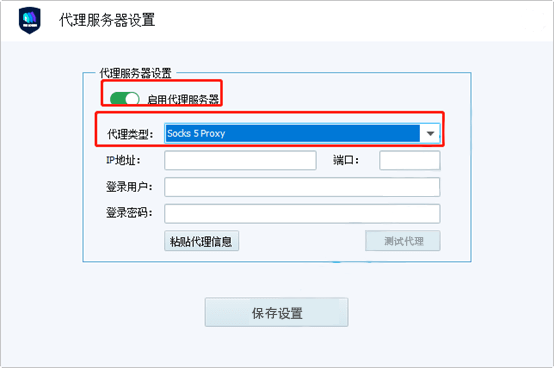
STEP 1: SELECT A PROXY TYPE
Click the "modification proxy" menu of VMLogin, select Http or Socks5. Here we using Socks5 as an example
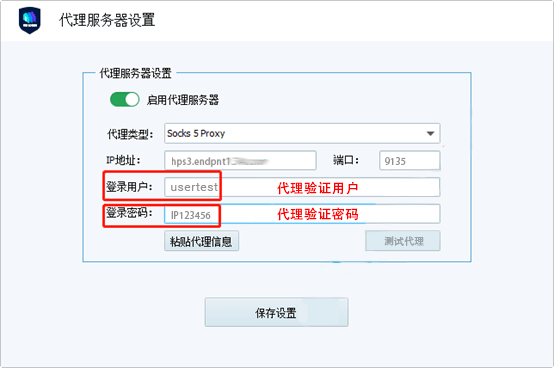
STEP 2: FILL IN THE PROXY INFORMATION
Fill in the host port and proxy verification info(account & password)
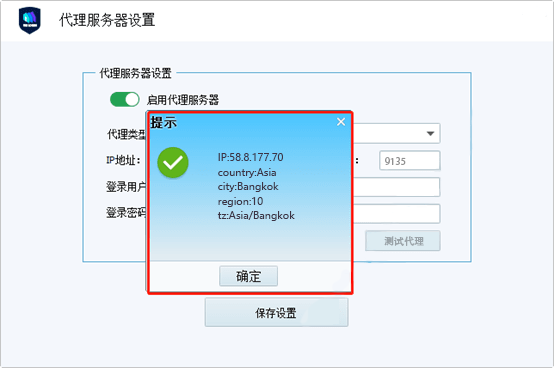
STEP 3: TEST THE PROXY
Click the "Proxy Test" button, if the displayed destination IP and address are the address you requested, it means that the configuration is successful