
English
中文
Français
Español
العربية
Pусский
Deutsch
日本語
Português
हिन्दी
Getting Started
How to use IpStar proxy
FAQ
SCRAPER
Integrate IpStar proxy
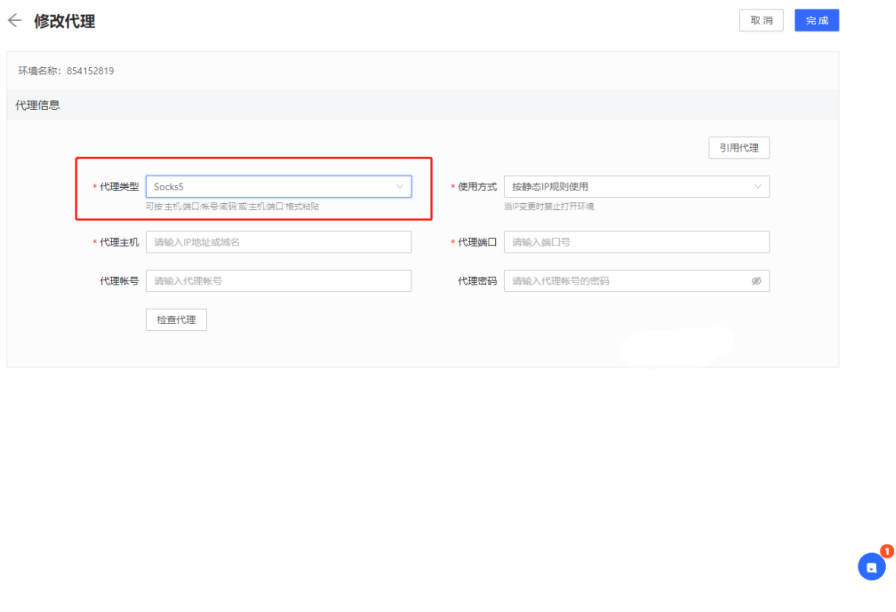
STEP 1: SELECT THE PROXY TYPE
Click the "modification proxy" menu of Hubstudio, select Http or Socks5. Here we using Socks5 as an example
STEP 2: FILL IN THE PROXY INFORMATION
Fill in the host port and proxy verification info(account & password)
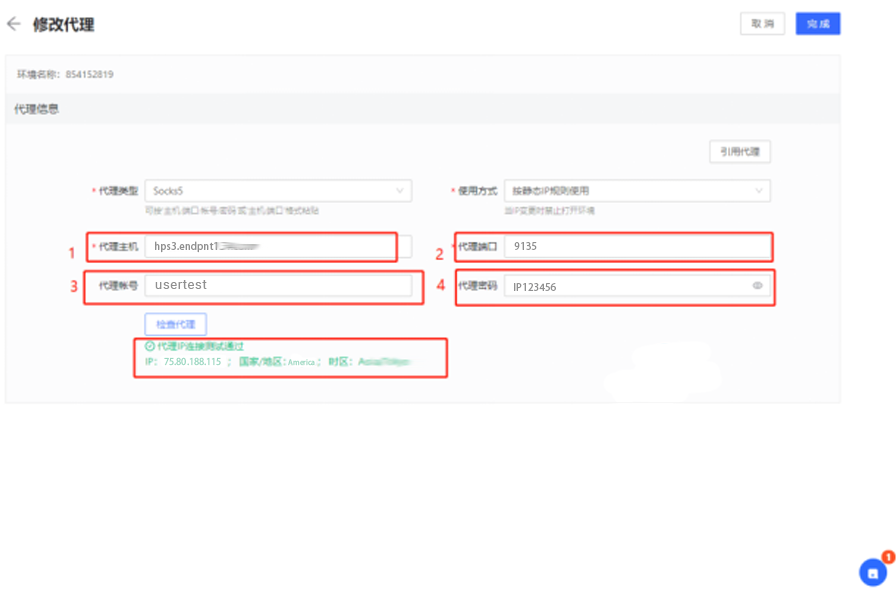
STEP 3: CHECK THE PROXY
Fill in the proxy information and click Proxy Detection. If the displayed destination IP and address are the address you requested, it means that the configuration is successful